iOS voice recorder for Markdown notes
Markdown Voice Memos
Record audio on iPhone, iPad, or Apple Watch, transcribe it on device, and turn every memo into a clean Markdown note for your knowledge base.
From recording to notes
Capture the thought. Keep the transcript. Export the note.
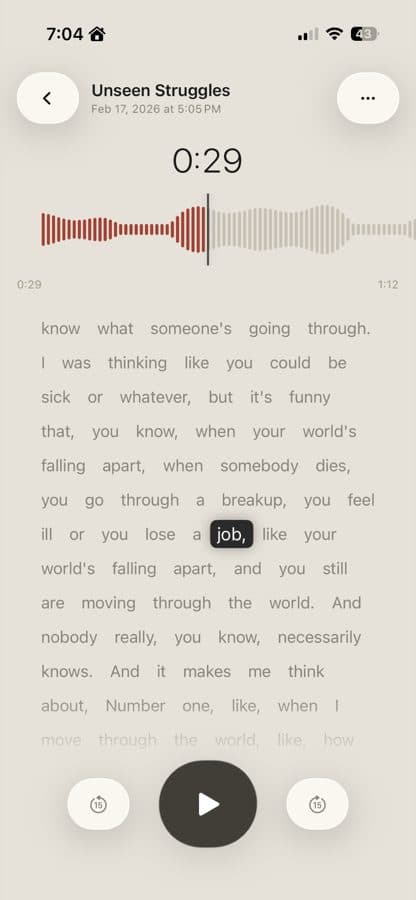
On-device transcription
Record speech on iPhone or iPad and get searchable transcripts without sending audio to a server.
Markdown export
Generate clean Markdown notes with YAML frontmatter for Obsidian, Logseq, Notion, or any notes workflow.
Record from anywhere
Start from iPhone, iPad, Apple Watch, Siri, Shortcuts, Control Center, the Action Button, or Live Activity controls.
Spatial and lossless audio
Choose compact recordings, Apple Lossless, stereo, or Spatial Audio on supported iPhones.
Built for note systems
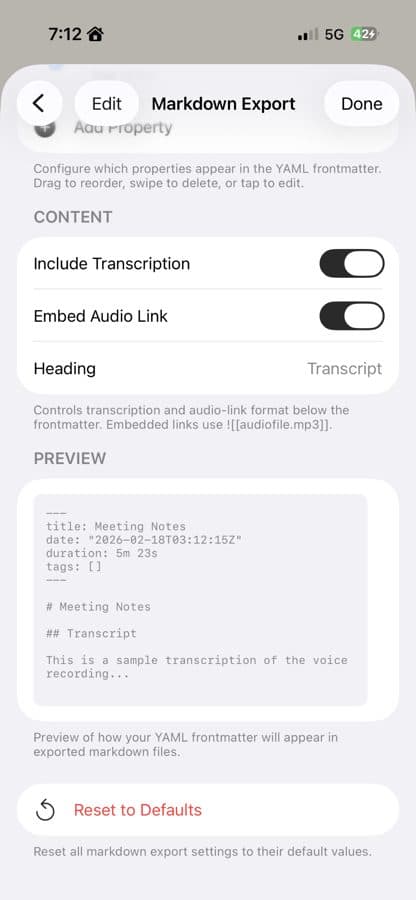
Markdown files that behave like real notes.
Customize frontmatter, include transcript text, link audio, and save recordings in the app or a folder such as iCloud Drive.
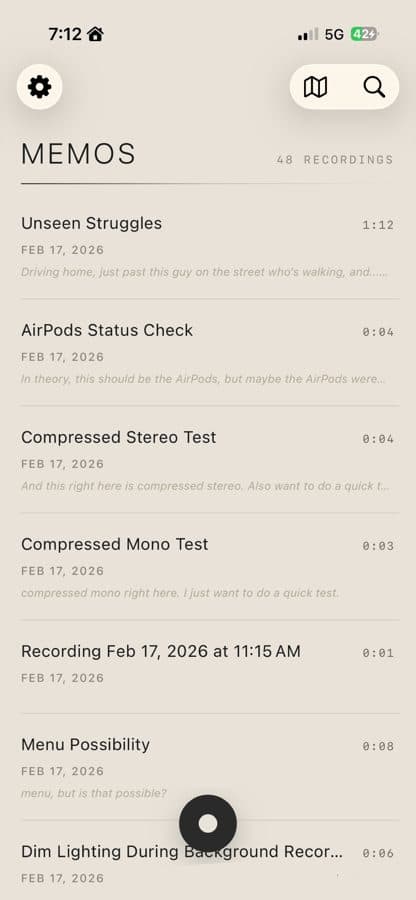
Find what you said
Search recordings by transcript, title, or place.
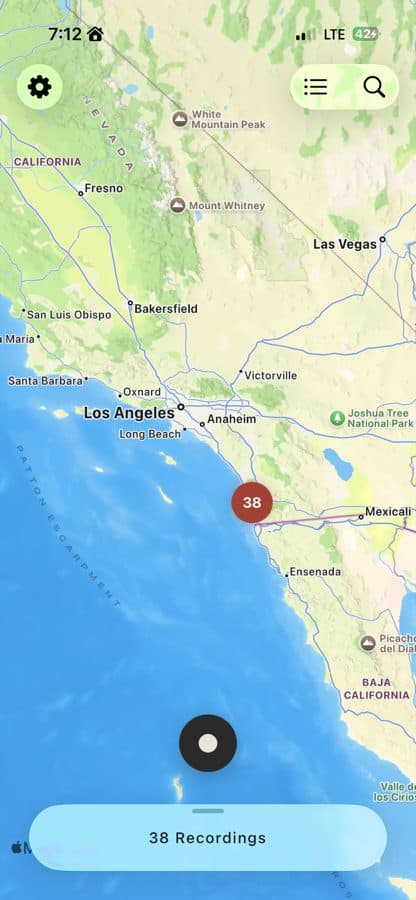
Browse a library of recordings, open exact transcript moments, or use the map view when location context matters.
Questions
Private, searchable voice notes for iOS and Apple Watch.
Does Markdown Voice Memos work with Obsidian?
Yes. It exports Markdown files with customizable YAML frontmatter, so recordings can fit into Obsidian, Logseq, Notion, or a plain folder workflow.
Is transcription private?
Transcription and smart title features run on device. Your recordings and transcripts stay on your iPhone or iPad unless you choose to export or share them.
Is Markdown Voice Memos an iOS app?
Yes. Markdown Voice Memos is built for iPhone and iPad, with Apple Watch recording and playback support.
Can I record from Apple Watch?
Yes. You can record and play back from Apple Watch, and recordings sync with the iPhone app.
Turn voice memos into Markdown notes.